
To connect Stripe to your website or funnel simply go to Store section and then click on Settings to enter the Store Settings.
Then select Payments and 'Add Another' to add Stipe to your E-Commerce Store. You will be redirected to the Stripe login page. After supplying the login details, select the Account you want to connect to the Store and click Connect. That's it!
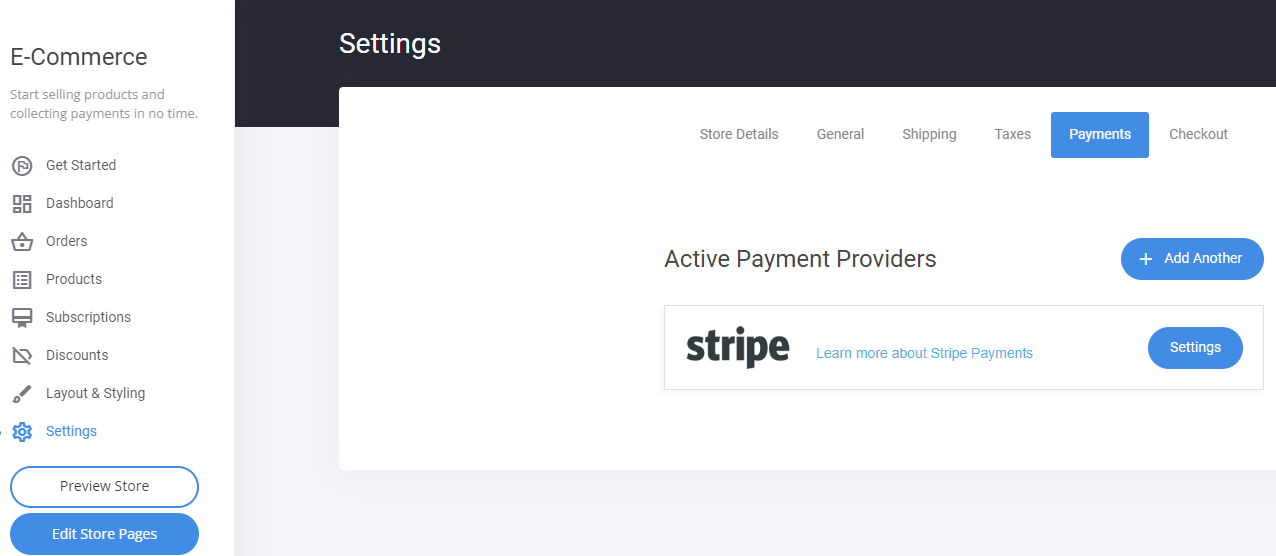
Note: clicking on Settings will display the option to enable Test payments. Use this to test your checkouts!
Once connected, you can login to your Stripe account and configure the payment methods you would like to offer to your Store customers!
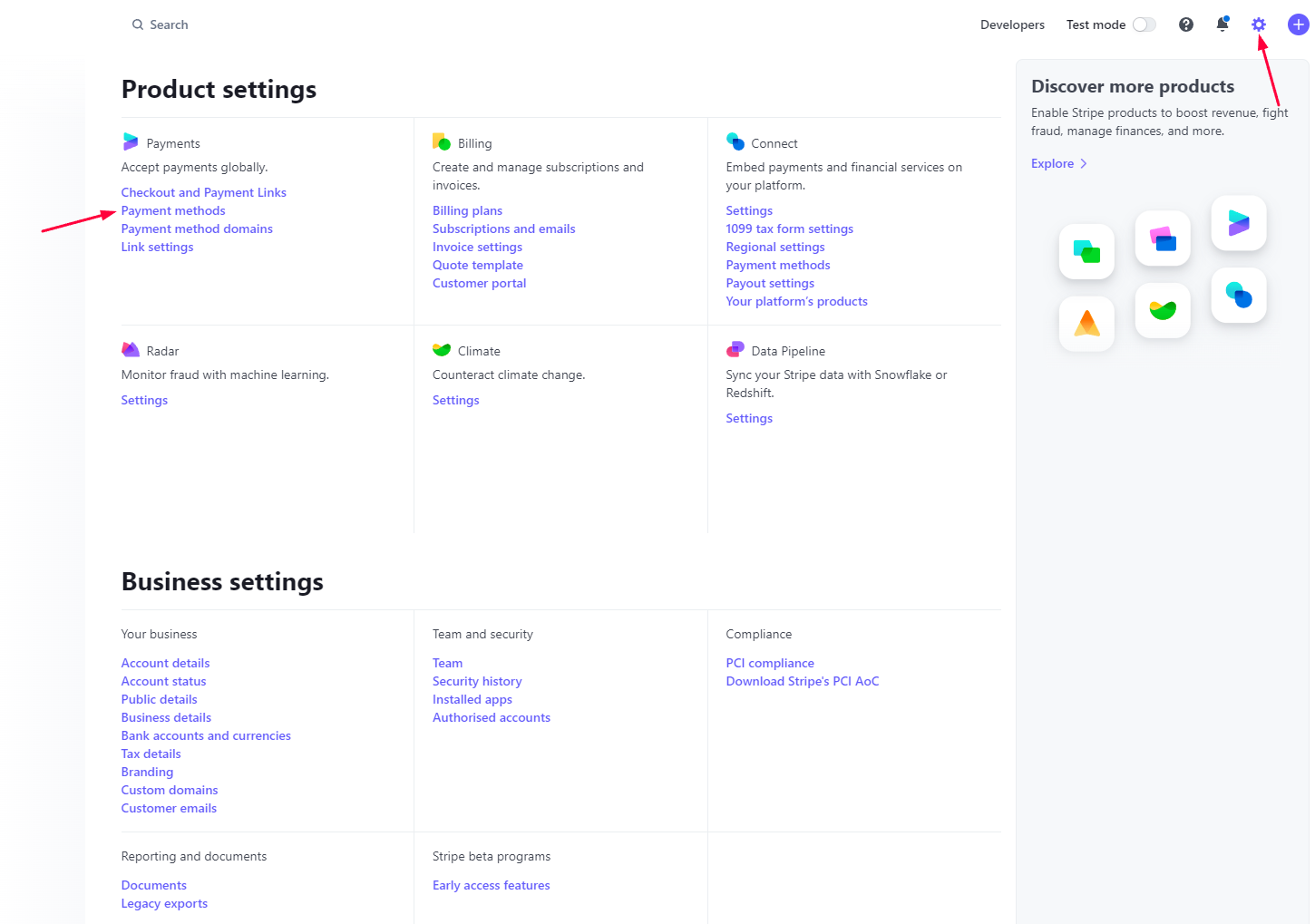
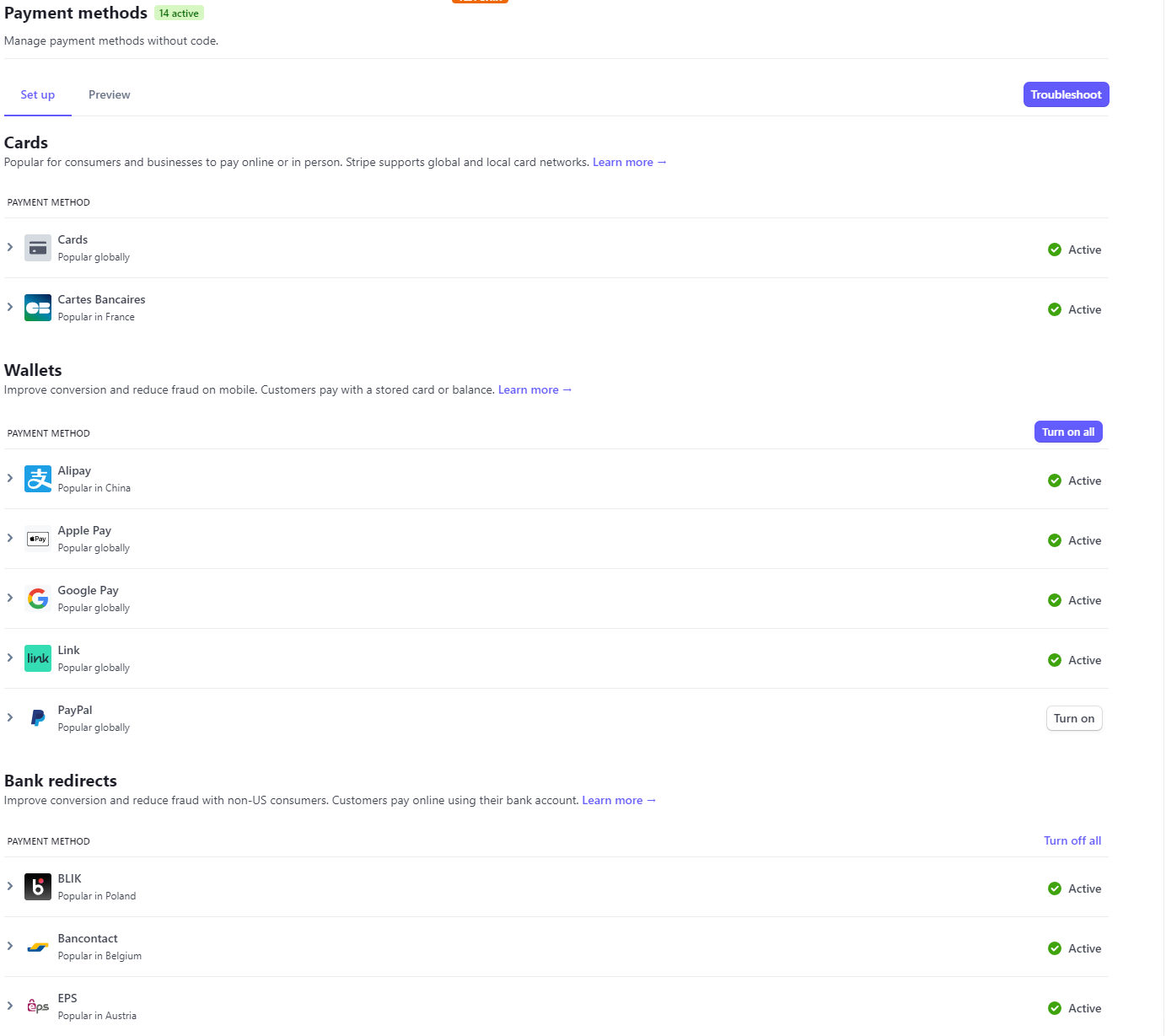 Note: some payment methods require certain conditions to be met in order to appear on the checkout. Such is Apple Pay. To show Apple Pay, the Visitor must access your checkout page from an Apple device with Apple Pay enabled. In all other instances, Apple Pay option will not show on your checkout.