
You can link to a certain Block on a page by adding an anchor point to that block. In the block settings, you will see the option Add Anchor Point

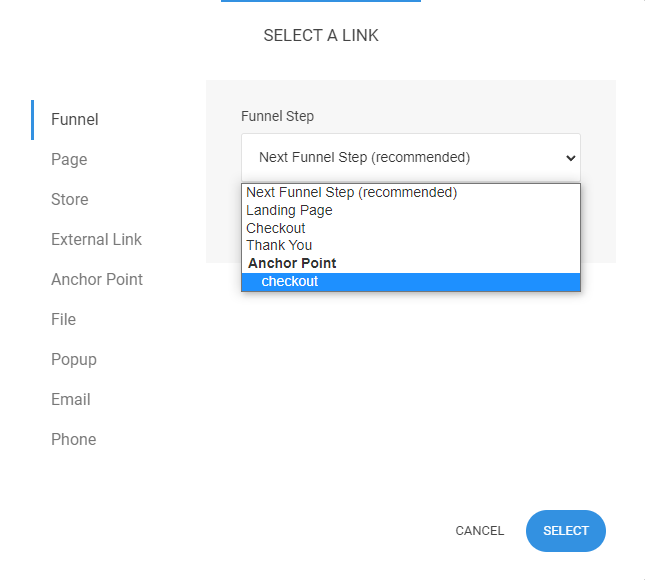
You can then link to that Block from any button, link, navigation by going to the link picker and selecting Anchor -> select the page where the Anchor is and select the Anchor name.

If selecting an anchor point from a funnel, you can find it at the Funnel tab: